JavaScript Arrays 101
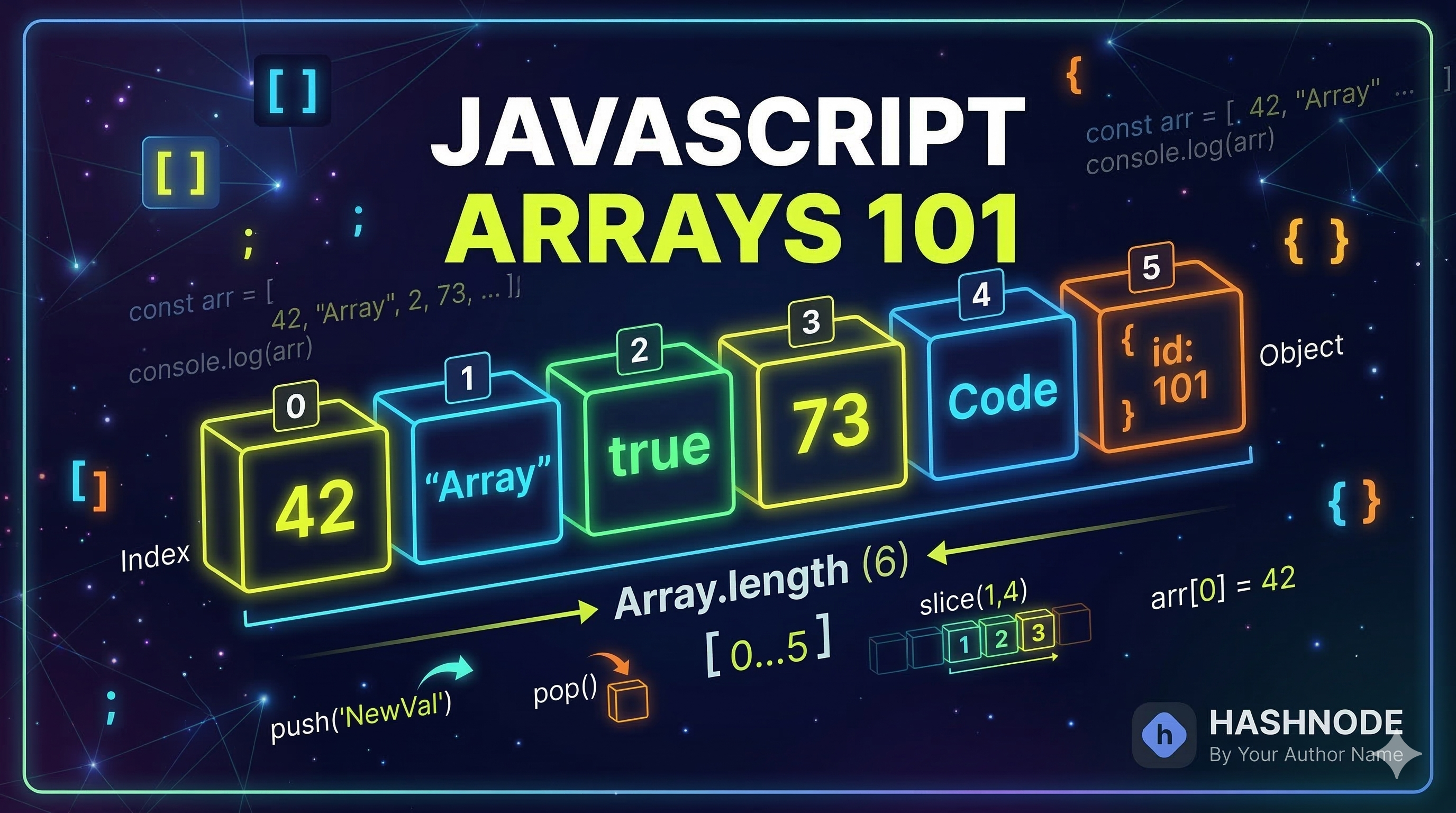
When I started learning JavaScript, one thing became clear very quickly: storing one value is easy, but storing many related values one by one can become messy.
For example, imagine I want to store my favorite fruits:
let fruit1 = "Apple"; let fruit2 = "Banana"; let fruit3 = "Mango";
This works, but it does not feel clean. What if I have 10 fruits? Or 50?
That is where arrays become useful.
In this article, we’ll understand what arrays are, why we use them, how to create them, access values, update values, check their length, and loop through them in a simple beginner-friendly way.
What Is an Array?
An array is a collection of values stored in order.
Instead of creating many separate variables, we can store multiple values inside one array.
For example:
let fruits = ["Apple", "Banana", "Mango"];
Here, fruits is an array that stores three values.
So instead of writing:
let fruit1 = "Apple"; let fruit2 = "Banana"; let fruit3 = "Mango";
we can simply write:
let fruits = ["Apple", "Banana", "Mango"];
That is much cleaner and easier to manage.
Why Do We Need Arrays?
Arrays help us when we want to store multiple related values in one place.
For example, we might want to store:
a list of fruits
marks of students
daily tasks
favorite movies
names of friends
Without arrays, we would need many separate variables. With arrays, we can manage everything in a much better way.
How to Create an Array
We create an array using square brackets [].
Example
let fruits = ["Apple", "Banana", "Mango"];
This array contains three string values.
We can also create an array of numbers:
let marks = [85, 90, 78, 92];
Or a simple task list:
let tasks = ["Study", "Exercise", "Read"];
Arrays Store Values in Order
One important thing I learned is that arrays store values in a fixed order.
Each value gets a position number called an index.
But here is the important part:
Array indexing starts from 0, not 1.
That means:
let fruits = ["Apple", "Banana", "Mango"];
"Apple" is at index 0
"Banana" is at index 1
"Mango" is at index 2
Visual Representation of Array Index and Values
Index: 0 1 2 Value: ["Apple", "Banana", "Mango"]
This is one of the first things beginners need to remember about arrays.
Accessing Elements Using Index
We can access any array element by using its index.
Example
let fruits = ["Apple", "Banana", "Mango"]; console.log(fruits[0]); // Apple console.log(fruits[1]); // Banana console.log(fruits[2]); // Mango
If I want the first value, I use index 0.
That feels a little strange in the beginning, but after a bit of practice, it becomes natural.
Printing the First and Last Element
Let’s say we have an array of movies:
let movies = ["Inception", "Interstellar", "3 Idiots", "Bahubali", "Dangal"];
To print the first element:
console.log(movies[0]); // Inception
To print the last element:
console.log(movies[4]); // Dangal
Because the array has 5 items, the last index is 4.
Updating Elements in an Array
We can also change values inside an array.
Example
let fruits = ["Apple", "Banana", "Mango"]; fruits[1] = "Orange"; console.log(fruits);
Output:
["Apple", "Orange", "Mango"]
Here, I changed "Banana" to "Orange".
So arrays are not just for storing values. We can also update them whenever needed.
Array Length Property
Every array has a length property.
It tells us how many elements are inside the array.
Example
let fruits = ["Apple", "Banana", "Mango"]; console.log(fruits.length); // 3
This is very useful because we do not always want to count elements manually.
Example with Movies
let movies = ["Inception", "Interstellar", "3 Idiots", "Bahubali", "Dangal"]; console.log(movies.length); // 5
So the array has 5 elements.
Memory-Style Array Diagram
Here is a simple way to visualize an array:
movies | |-- [0] -> "Inception" |-- [1] -> "Interstellar" |-- [2] -> "3 Idiots" |-- [3] -> "Bahubali" |-- [4] -> "Dangal"
This makes it easier to understand that each value is stored at a different index.
Basic Looping Over Arrays
When I first learned arrays, I quickly realized that printing each item one by one is not practical.
For example:
let fruits = ["Apple", "Banana", "Mango"]; console.log(fruits[0]); console.log(fruits[1]); console.log(fruits[2]);
This works for small arrays, but what if the array has 20 items?
That is why we use a loop.
Using a for Loop
let fruits = ["Apple", "Banana", "Mango"]; for (let i = 0; i < fruits.length; i++) { console.log(fruits[i]); }
Output:
Apple Banana Mango
How This Works
i = 0 starts from the first index
i < fruits.length keeps the loop running until the last element
fruits[i] gives the value at the current index
This is the most basic and useful way to loop through an array as a beginner.
Assignment Example
Let’s do the full practice task.
Create an Array of 5 Favorite Movies
let movies = ["Inception", "Interstellar", "3 Idiots", "Bahubali", "Dangal"];
Print the First and Last Element
console.log(movies[0]); // Inception console.log(movies[4]); // Dangal
Change One Value and Print Updated Array
movies[2] = "Zindagi Na Milegi Dobara"; console.log(movies);
Output:
["Inception", "Interstellar", "Zindagi Na Milegi Dobara", "Bahubali", "Dangal"]
Loop Through the Array and Print All Elements
for (let i = 0; i < movies.length; i++) { console.log(movies[i]); }
Quick Summary
Arrays store multiple values in one place
Arrays keep values in order
Indexing starts from 0
We use array[index] to access values
We can update elements using their index
length tells us how many elements are in the array
Loops help us print or use all array elements easily
Easy Way to Remember
This is the simplest way I think about arrays:
array = a list of values
index = position of a value
first index = 0
length = total number of items
Final Thoughts
When I first learned arrays, they felt like a small topic. But very quickly, I realized arrays are used everywhere in JavaScript.
If you understand arrays well, many other topics become easier later.
My advice is simple: create a small array on your own, access some values, change one value, and loop through it. That little bit of practice makes the concept much clearer.
